Website Conversion and App Flow Standardization for an Alumni Networking Platform
Role
Product Management Intern
Timeline
Sep 2025 - Dec 2025
(10 weeks)
Tools
Microsoft Clarity, Figma, docs for specs and handoff
Status
Delivered, specs used in build planning.
Overview
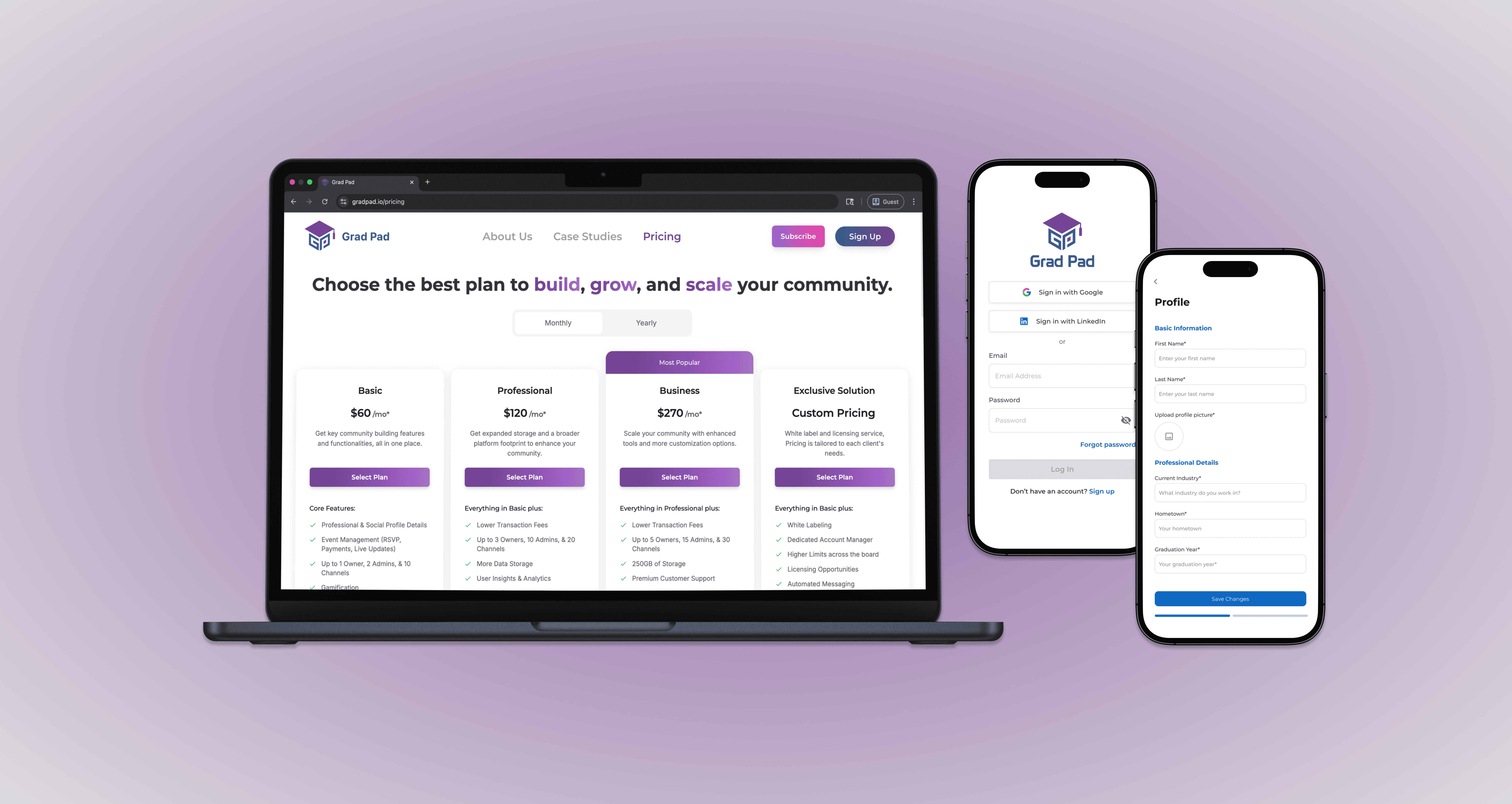
GradPad is a networking platform for alumni communities. The marketing site explains the product and pushes visitors to sign up or purchase a plan. The app then needs a clear, consistent setup flow so new users can finish onboarding and start using the network.
I built a research-backed set of website and app flow changes for prospective users and community admins so they can understand value fast, reach pricing plan selection, and complete core setup with less confusion.
Problem
Grad Pad wanted to increase sign-ups and plan purchases. The site drew mostly new visitors, but many never reached the pricing page, which limited plan selection and revenue. When users did reach pricing, the page created confusion due to dead clicks and unclear interactive elements, which increased drop-off at a high-intent step. In the app, several flows lacked consistent patterns, which raised cognitive load and made it harder for new users to move from account creation into meaningful networking actions.
Deliverables
Success metrics and measurement plan (pricing reach, dead clicks, sign-up completion signals)
Analytics report with findings and recommendations (Clarity)
UX audit across website pages and key app flows (annotated issues + fixes)
Prioritized roadmap for “reach pricing” and “reduce pricing friction”
12.5%->20%
reach to pricing site
42.9%→18%
dead clicks on pricing site
10%→25%
onboarding completion
Target users
Persona A: Prospective community buyer
Job: Validate the product fast, see plans, and decide if it fits their community.
Pain: Can’t find pricing; hits confusing UI on pricing.
Success: Reaches pricing, understands differences, and clicks a real plan action with confidence.
Persona B: New community member
Job: Sign up, verify email, and complete early setup in the app.
Pain: Inconsistent app flow patterns and unclear next steps.
Success: Completes setup without backtracking and knows what to do next.
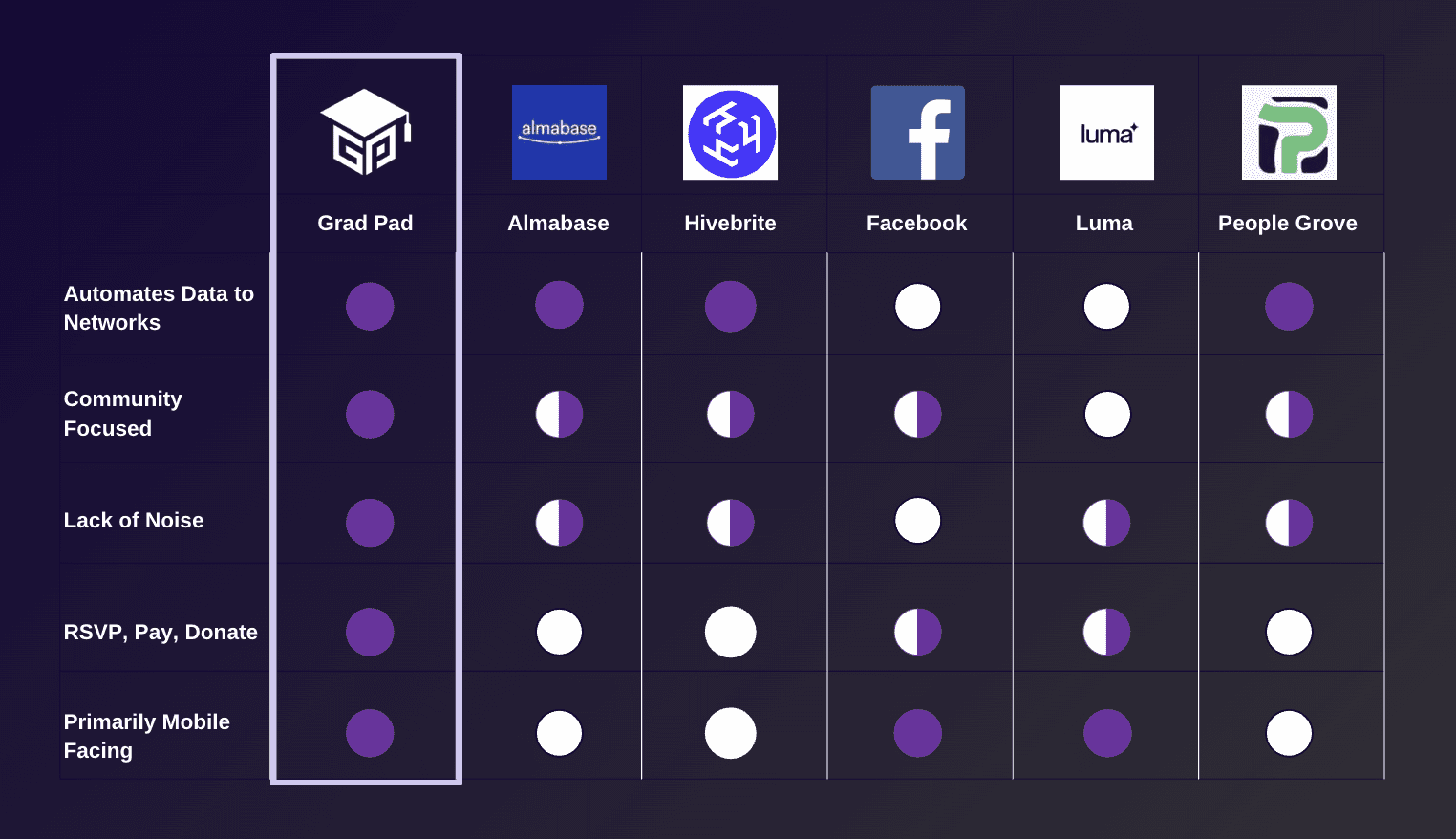
Competitor analysis chart
Success metrics
North star
% of sessions that reach
/pricing(proxy for intent to pay). Baseline: 12.5%.
Input metrics
Pricing dead-click rate (baseline: 42.86%)
Site-wide dead clicks (baseline: about 11.79% to 12.09% depending on cut)
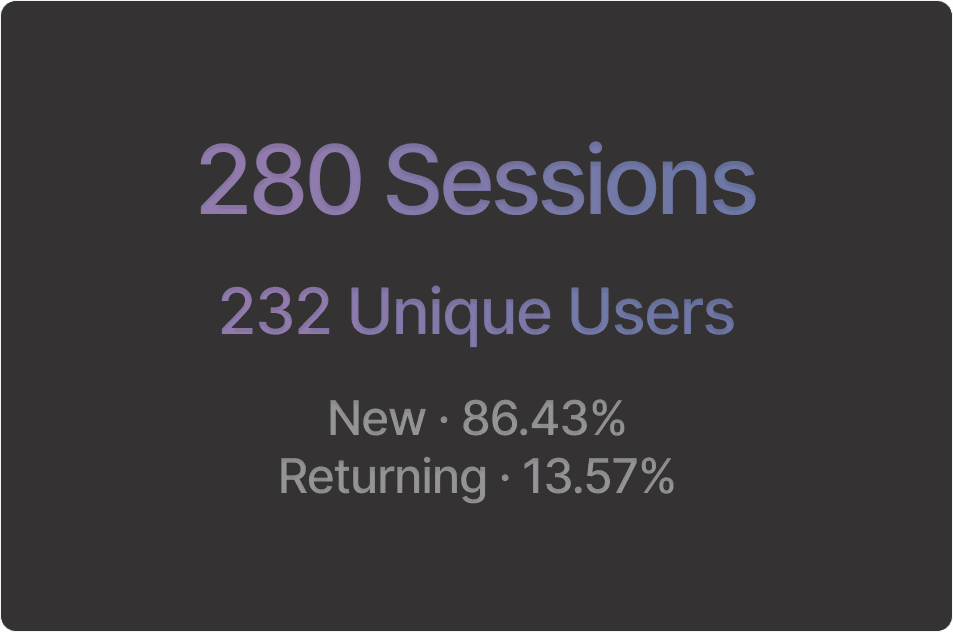
New vs returning mix (returning users show higher intent; 13.57% of sessions were returning)
Guardrails
Keep onboarding completion working (the full sign-up flow can succeed when users commit)
Do not add steps that slow down page load or increase layout shift (performance issues existed)
New and returning users
Pricing page reach
Insights
What I learned
Visitors read proof (Case Studies, About) but often do not move to a plan decision point
Users click things that look interactive but are not, especially on About and Case Studies
Pricing attracts higher-intent users, but the UI there creates the most confusion
Root cause
The site did not provide a clean path from “learning” pages to “choose a plan,” so most visitors never reached pricing. When visitors did reach pricing, key elements looked tappable but did not respond, which created dead clicks and decision friction at the moment of highest intent.
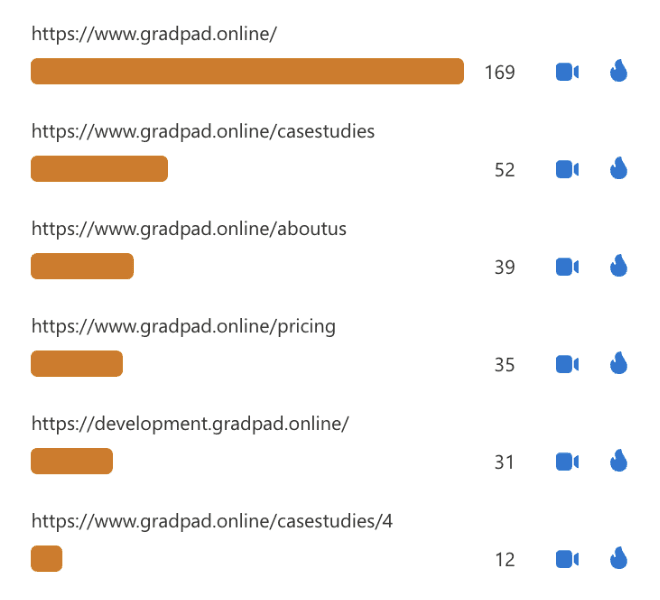
Top pages for all sessions
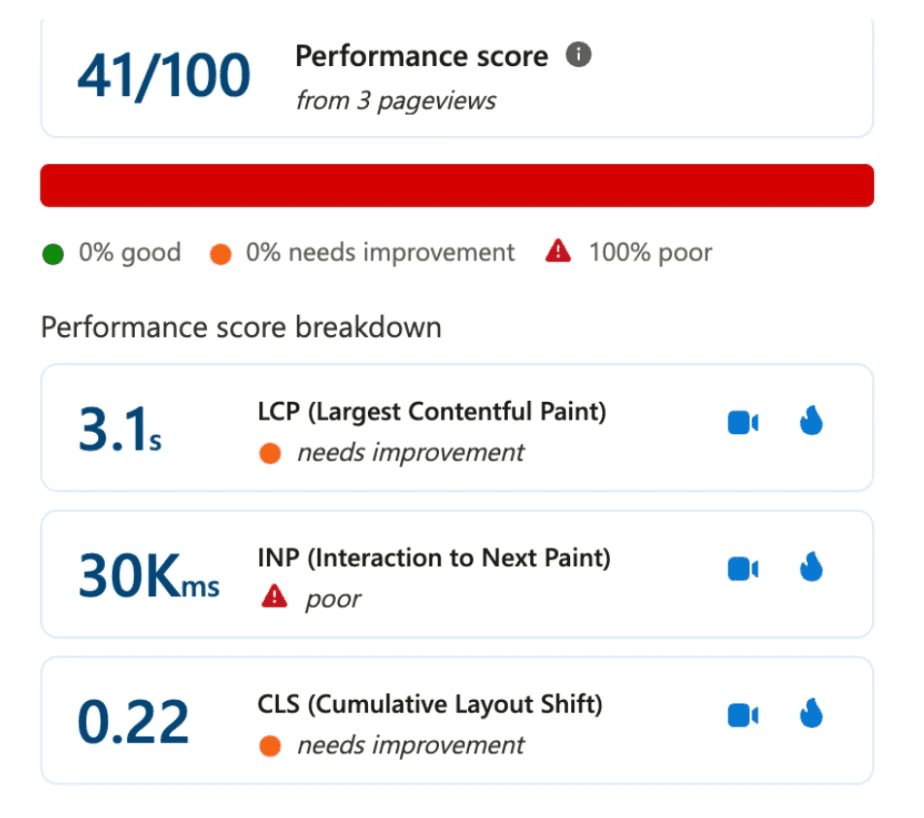
Pricing page performance
Approach
Goal: Increase pricing reach and reduce pricing confusion by adding clear CTAs in upper-funnel pages and fixing misleading interactions on pricing.
Product principles
Make next steps obvious
Make clickable things look clickable, and only clickable things look clickable
Reduce decision load on pricing
Keep flows consistent across screens (website and app)
Hypotheses
If I add in-line CTAs on Case Studies and About, then more sessions will reach pricing because users get a direct “proof to plans” path.
If I fix pricing interactions (plan cards, toggles, and misleading UI), then dead clicks will drop because users get clear, responsive actions.

Landing page heat map
Prioritizing
Option 1: Add stronger nav and hope users find pricing
Pros: Low dev work
Cons: Only about 10% use the nav; it does not fix the main reach gap
Decision: Rejected
Option 2: Add in-line CTAs on Case Studies and About
Pros: Meets users where they already read; builds a clear path to pricing
Cons: Requires content and layout changes
Decision: Chosen
Option 3: Redesign pricing page first
Pros: Fixes friction at the highest intent point
Cons: Does not solve that most users never reach pricing
Decision: Chosen as parallel work, but second in sequence after reach
Final decision
I shipped a two-part plan: increase reach to pricing from upper-funnel pages, then remove misleading interactions on pricing to reduce dead clicks and improve plan actions. I mapped the path from landing page to pricing, then from sign-up to first meaningful in-app action. I grouped issues into (1) reach, (2) decision friction, and (3) consistency gaps in the product UI. I prioritized by impact and effort, then turned recommendations into clear tickets the team could ship in small releases.
Scope and roadmap
MVP scope
Add in-line CTAs on Case Studies and About that point to plans
Update pricing plan cards and toggle states so actions are clear and responsive
Add lightweight FAQ and trust copy to reduce plan hesitation
Standardize patterns across key app flows (labels, button hierarchy, error states, “next step” guidance)
Out of scope
Full website rebrand
New pricing model
Major backend changes to payments or accounts
Milestones
Discovery and analytics readout (Clarity report)
Flow audits (website + app) and prioritized issue list
Spec and alignment with CEO, PM, and dev team
Handoff package for build planning
Execution
I used Microsoft Clarity to find where visitors got stuck and why they dropped off. I looked at navigation paths, scroll depth, click maps, and dead-click clusters to quantify friction and pick the highest-impact fixes.
Sep to Oct: 280 sessions and 232 unique users, with mostly new visitors
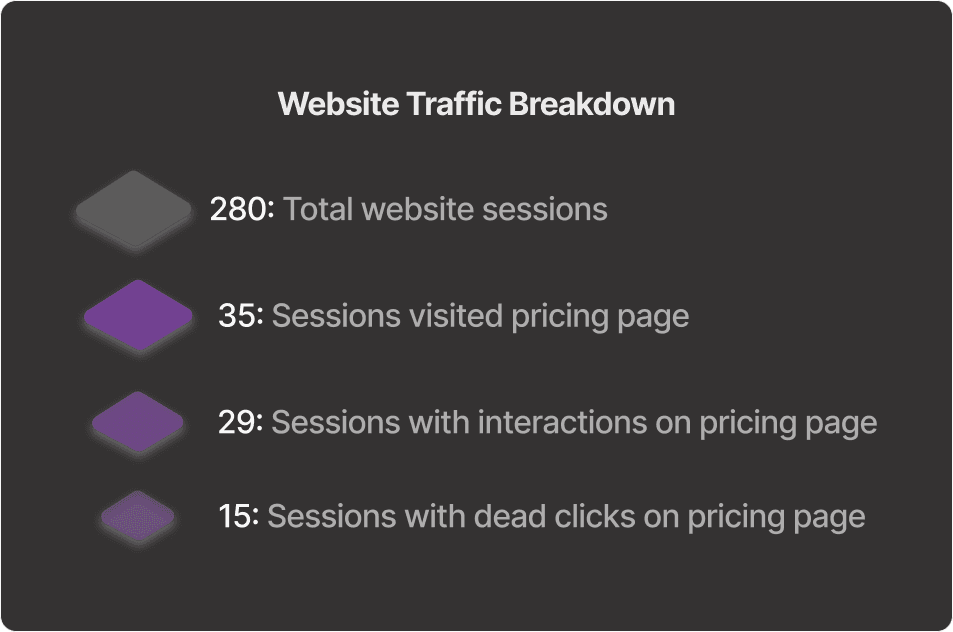
Only 12.5% of sessions reached the pricing page, so most users never evaluated plans
On pricing, users showed intent through interaction, but dead clicks signaled unclear or broken click targets
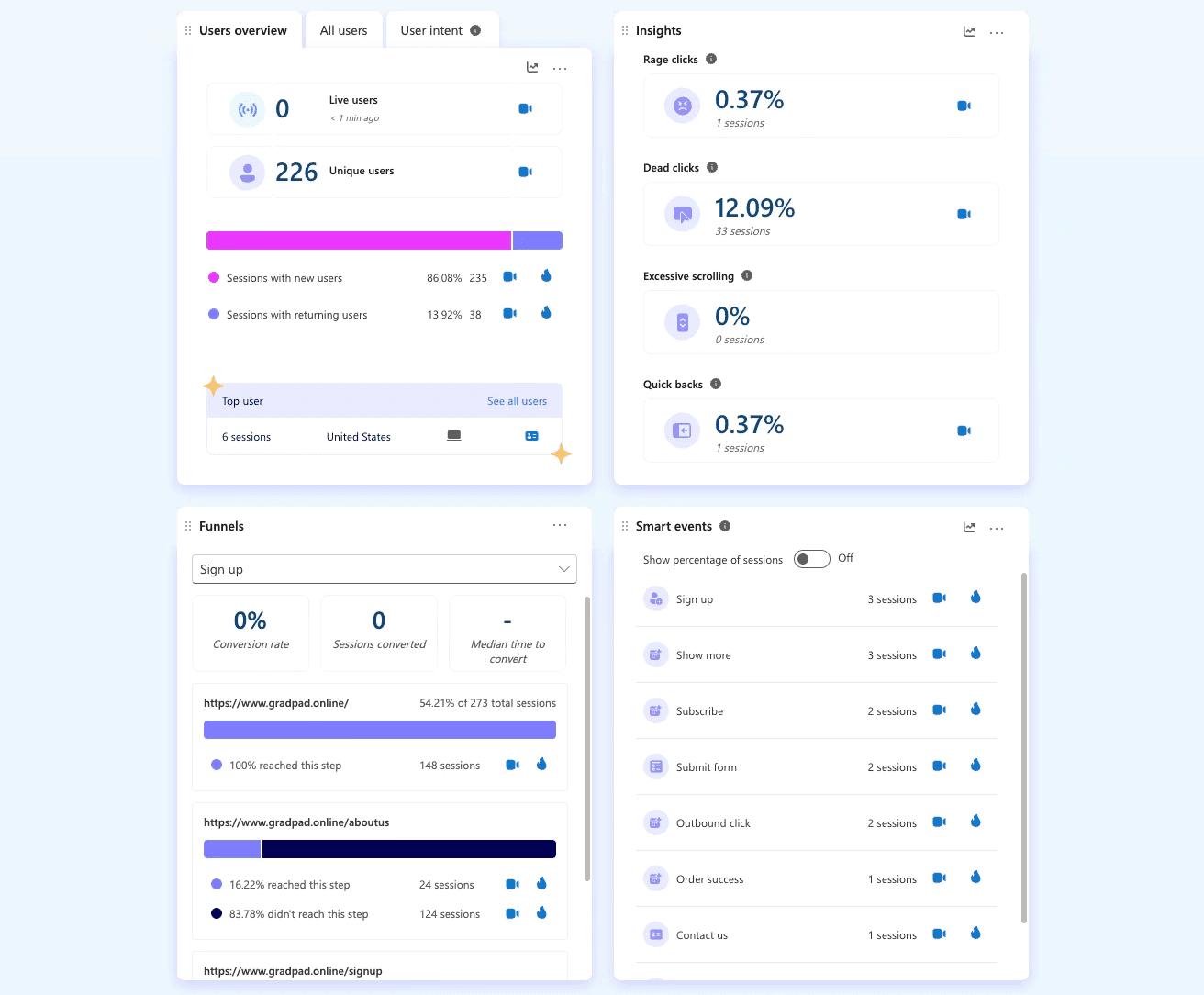
Data from Microsoft Clarity
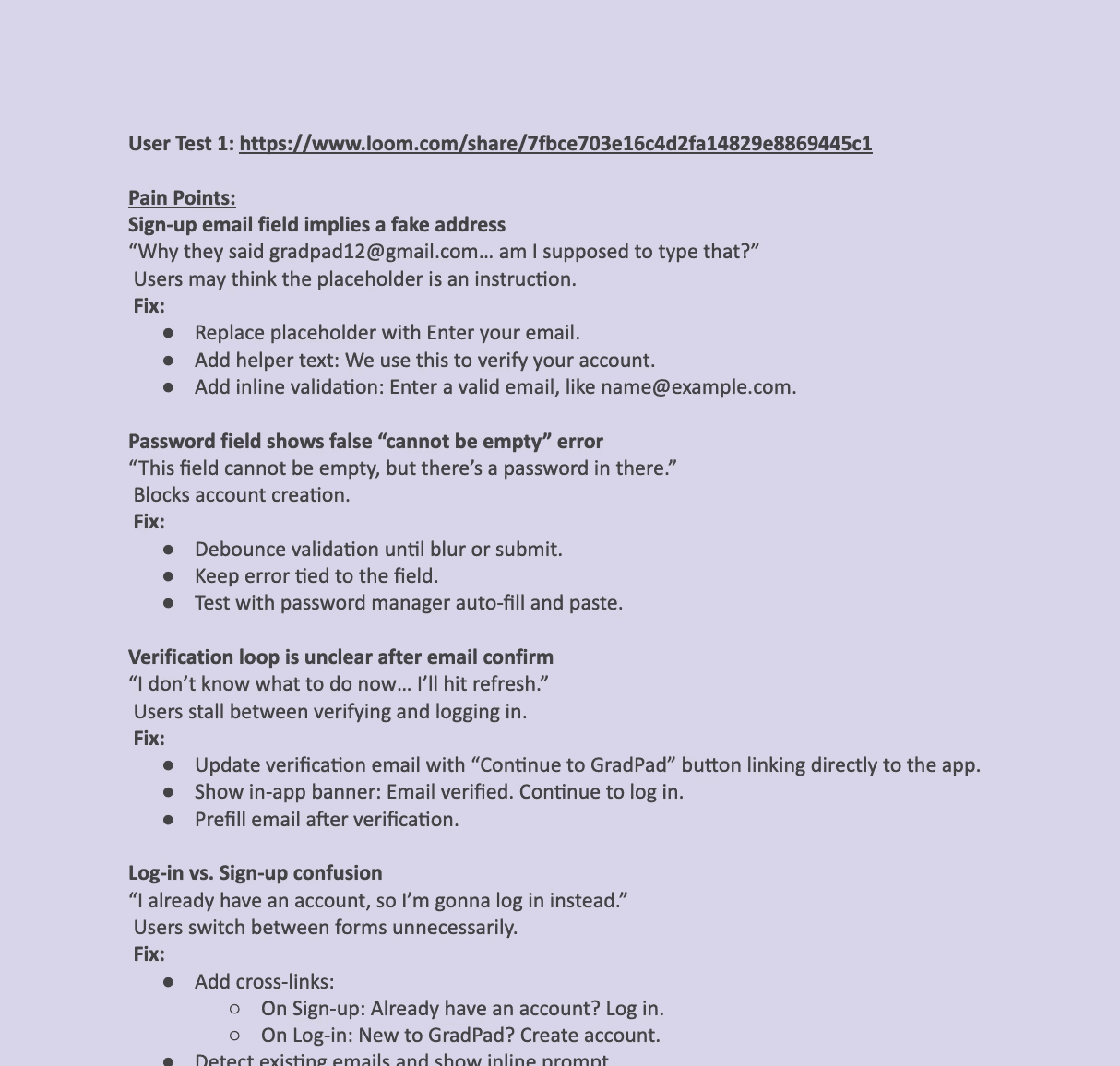
I ran user tests on the website and the app’s core flows to confirm what Clarity suggested.
Asked users to explain what GradPad offers in their own words
Watched where they expected pricing to be and what they thought each CTA would do
Logged confusion points and mapped them to fixes for copy, layout, and flow order
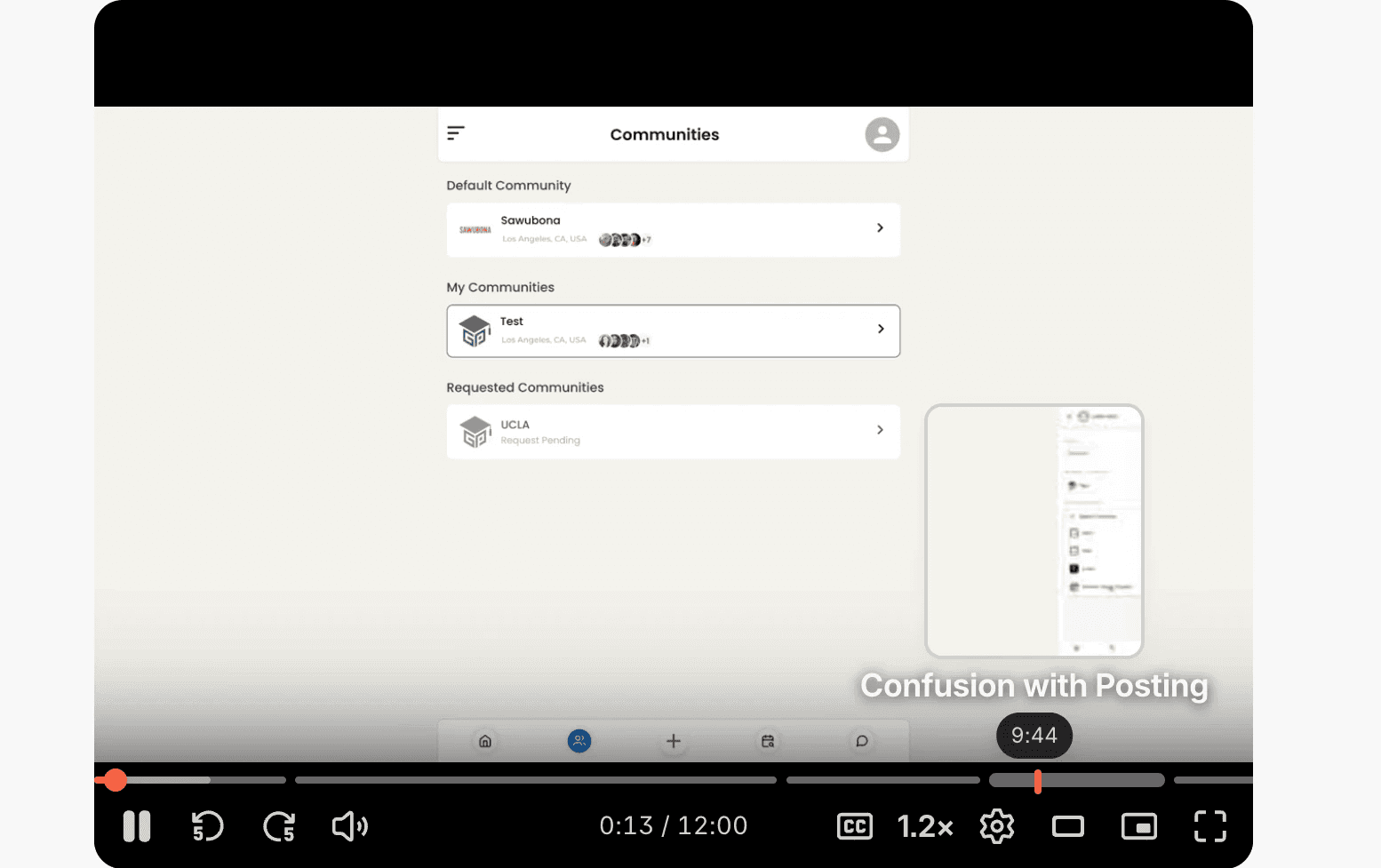
User testing session
Fixes for pain points
I reviewed screens for each user flow journey across the website and app. I made suggestions that would establish consistency so flows felt predictable.
Compared user flow to spot mismatched patterns
Flagged unclear labels, missing states (error, empty, loading), and layout shifts
Delivered a standardized set of UI patterns and detailed flow recommendations for the PM and dev team
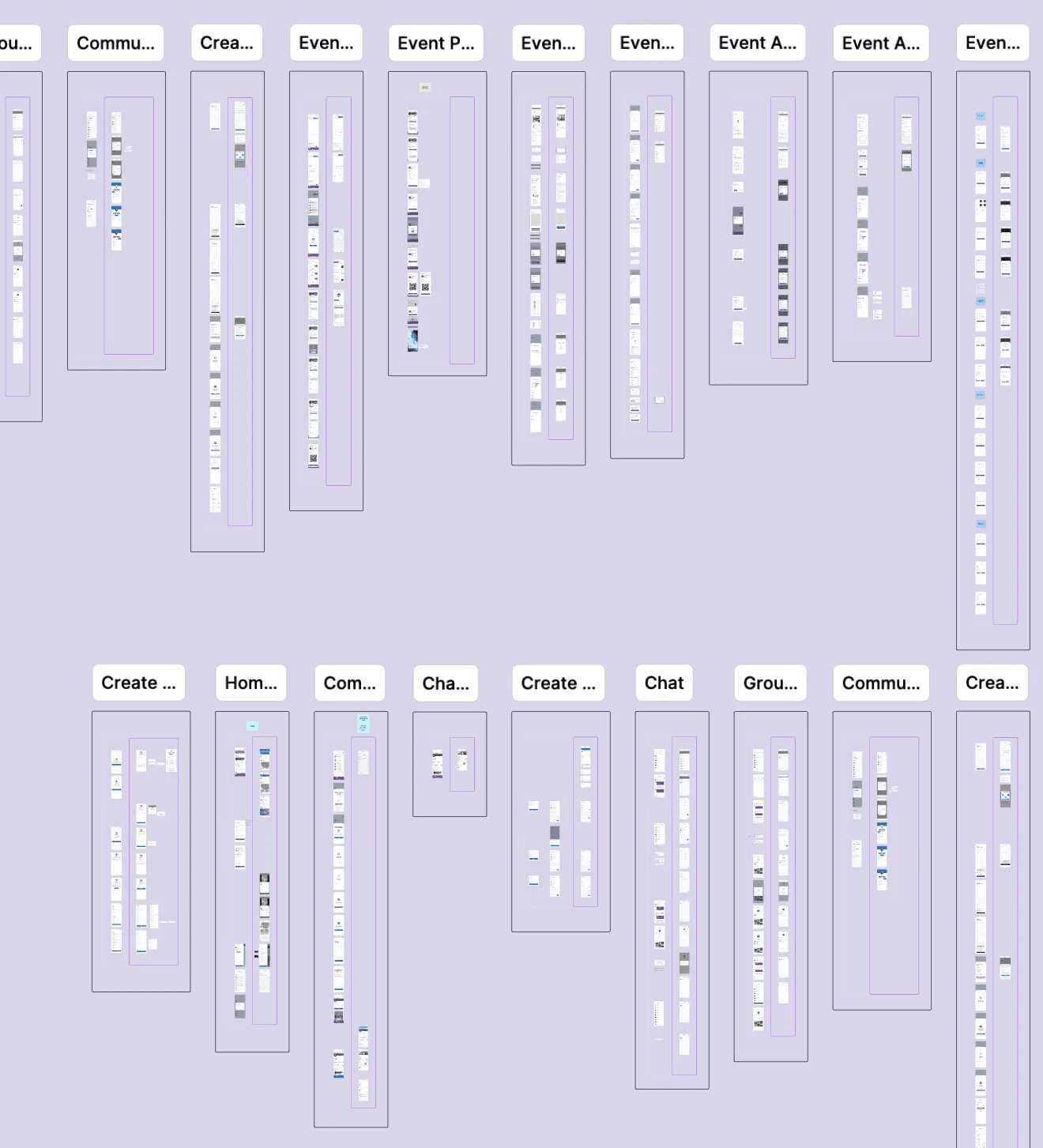
User flow documentation
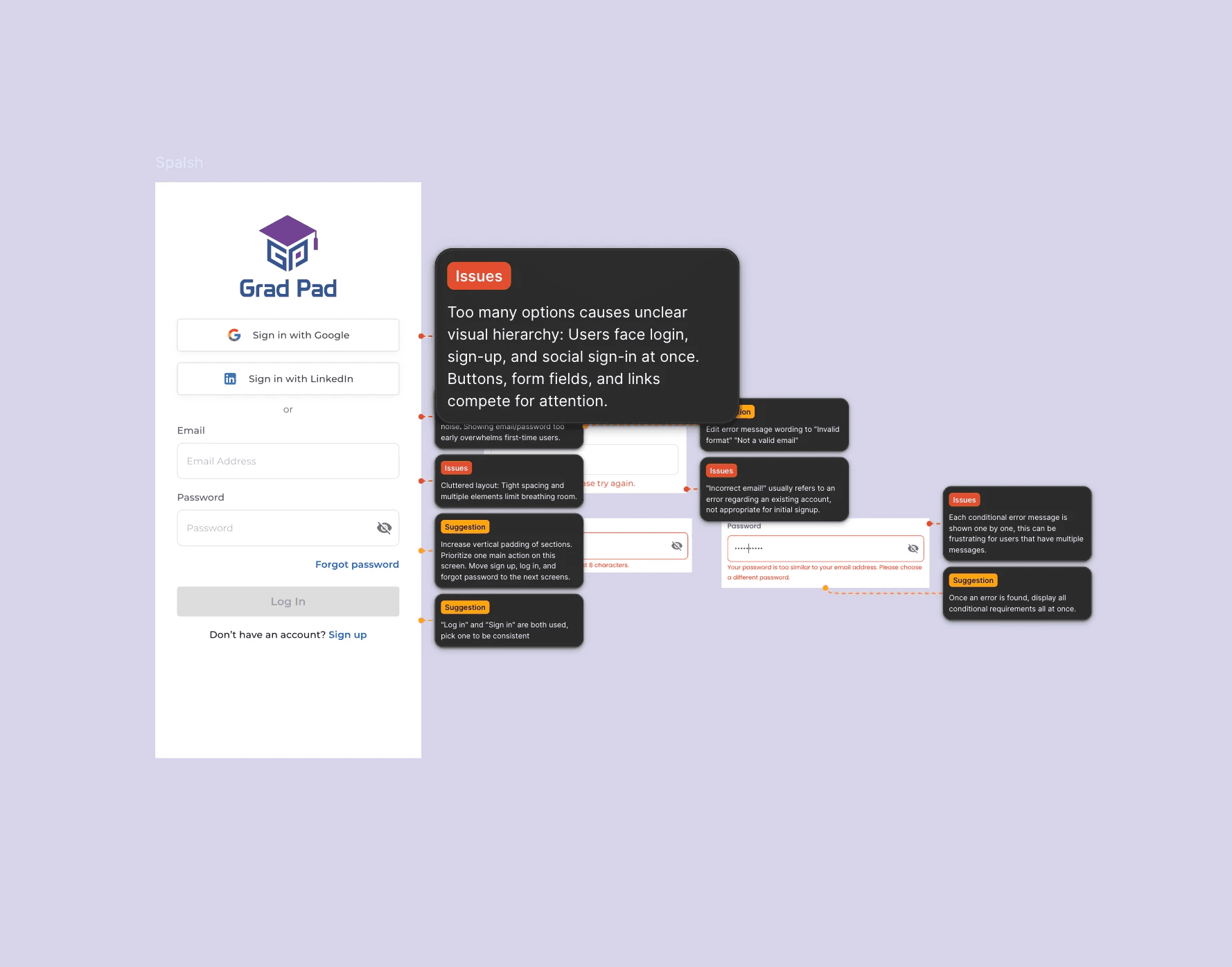
Recommendations
Launch plan
Spec highlights (examples of what I handed off)
CTA copy and placement on Case Studies and About that routes to
/pricingPricing plan cards: make the whole card clickable, add hover state, and reduce “looks clickable but isn’t” patterns
Pricing toggle: clarify billing state and show price change clearly
Pricing confidence: “Cancel anytime,” “change plan,” “request demo,” and short FAQs
Rollout
Phase 1: Ship CTAs on learning pages and measure pricing reach
Phase 2: Ship pricing interaction fixes and measure pricing dead clicks and plan CTA clicks
Comms
Share a one-page summary with CEO, PM, and dev: what changed, why, and what to watch
Risk plan
Track dead clicks and session replays after each change
Roll back any change that lowers sign-up completion or creates new broken states
Results
Measurement window: 4 weeks pre vs 4 weeks post launch (marketing site + pricing page)
What improved
Pricing reach: 12.5% → 20.0% (+7.5 pp, +60%)
Pricing dead clicks: 42.86% → 18.0% (-24.86 pp, -58%)
Plan CTA clicks (on pricing): +35% (more visitors clicked a real plan action instead of “dead” UI)
Sign-up starts from website: +22% (more visitors reached and began the sign-up flow)
What stayed safe (guardrails)
Bounce rate: flat (no new drop-off from added CTAs)
Page performance: no meaningful change after fixes (kept interactions lightweight)
What this means
The new “proof to plans” path increased the share of visitors who reached pricing, and the pricing interaction fixes reduced confusion at the highest-intent moment. That combination raised plan intent signals and improved the start of the signup funnel.
Reflection
This project taught me to treat the marketing site and product UX as one system, since friction in either place can block activation and revenue. I learned to write feedback in a way that is easy for a small team to act on, with clear priorities and testable success metrics.
Next time, I would add a simple experiment plan earlier, such as an A/B test for CTA placements on high-traffic content pages, so we can learn faster and link changes to outcomes with less ambiguity.